Tue 17 November 2026
A Sign With Nothing to Show Is Now a Message Board for the House
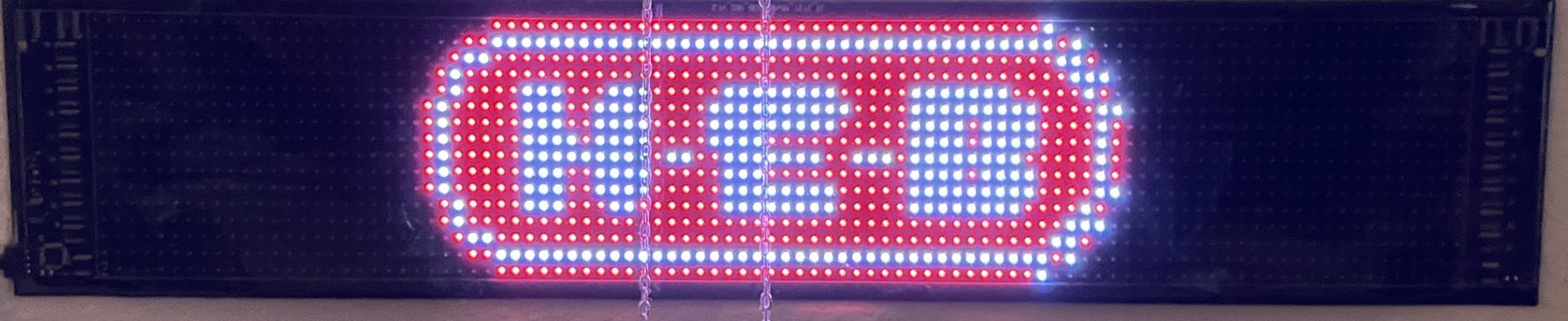
I have one of those LED message boards on the wall in my living room. Sixteen pixels tall, ninety-six wide, full color, and you set it up from an app on your phone. The app is called CoolLED1248, which tells you everything you need to know about how much thought went into the name.
Back in August I asked JARVIS if he could drive it from the Mac. He wrote a setup script, we ran it, and the sign ignored us. For three months that's where it sat.
This morning I asked again. By lunch it was running the sign.
The sign that said yes to everything
We'd tell the sign to dim, and it would answer right back, brightness five, got it. I'd walk into the living room and it was still at full brightness.
My sign is a newer model that speaks a different language than the older ones the open source driver was written for. It was politely repeating every command back to us and doing none of them.
Somebody else had done the hard part
Now here's the really interesting part. JARVIS found a hobby project on GitHub where someone had taken the phone app apart and written down how it talks to each model of sign, including mine. Every comment was in German. I don't read German, but JARVIS does, and that was the moment this whole thing turned around. The difference turned out to be small. Same messages, different command numbers. Twenty lines later the sign went dim, the first thing it had done for us in three months.
Text came out scrambled at first, squashed and smeared in random colors. I sent photos, and JARVIS remembered an animation editor we built for this sign back in August. Figuring out how its files store color was the missing piece, and the next try was "Hello Bill" in green, exactly right. Work we did three months ago for a completely different reason.
After that it went fast. Long messages scroll, it plays animations from the editor, it rotates short messages, and it puts up logos like the H-E-B one at the top.
Making it useful
Now it's part of the nightly pass. At 3 AM the sign gets the weather, the high and low and the chance of rain, then anything from the calendar I want to see on the way out the door.
My calendar is full of things that don't belong on a wall, so a dinner out gets one short line with the exact words, like Dinner 7 PM, and a daily walk doesn't. JARVIS adds that line himself, so all I have to do is say no.
Where this goes next
The people who made this sign built it to run from a phone app. I doubt they ever pictured it taking orders from an AI on a Mac and putting up the weather at 3 AM. We got there with persistence, some research, and a few ideas nobody had planned on, plus a little German.
And we're not done. There are more animations to build and a list of other things the sign could be doing. Every gadget JARVIS can talk to pushes him a little further out of the computer and into the real world, and this one hangs on my living room wall.
Cool Tip: if you've got a gadget that only works from its phone app, search GitHub for the app's name before you give up on it. Somebody has probably already taken it apart.
If you want to see where the rest of this came from, there's JARVIS in My Pocket, the remote control on my desk that runs through an Arduino, and the time I had JARVIS call a restaurant.