Sat 31 October 2026
From Silent Metronome to Remote Control
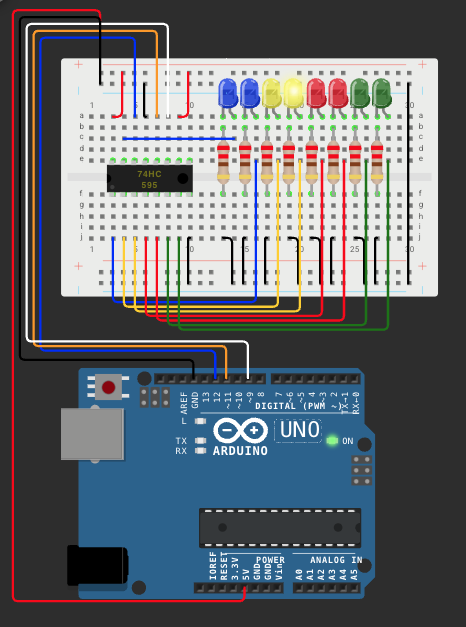
Back in March of last year I wrote Ignorance is a Choice. That was the one where Grok spent an hour teaching me how a 74HC595 shift register works. I drew the circuit in Tinkercad and called it a silent metronome. Eight LEDs that blink the beat instead of clicking it.
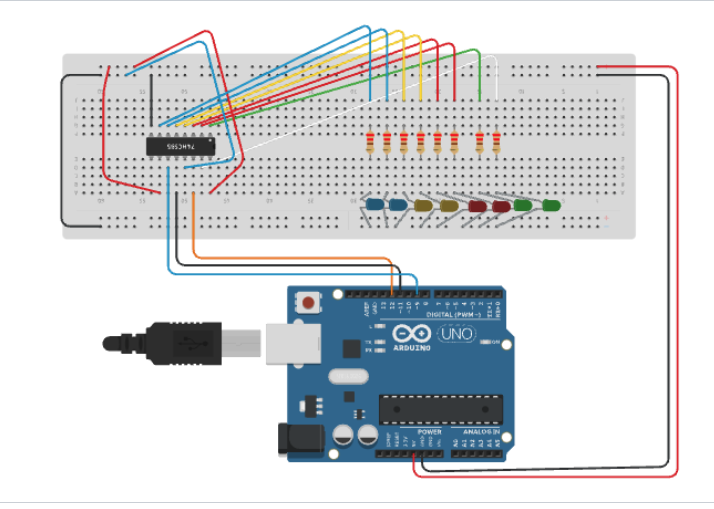
Then I built it. And then it just sat there on my desk running its little metronome sketch. I kept thinking it would make a great silent metronome someday. It never did. I built it to learn shift registers, and once I'd learned them the board didn't have a job.
It has one now.
The board got a job
These days I talk to JARVIS, my AI assistant, by voice. The same eight LEDs now show what it's doing. They fill up while I'm holding the talk key. They sweep back and forth while it's thinking. When it talks, the bar bounces along with its voice. The first time I saw that I said it was blinking in sync with what it was saying, like, really well. It still makes me smile.
The last LED has its own job. It blinks when my HUD is waiting for me to approve something. Another one stays on when mail or a phone message is waiting.
Here's why that matters to me. If I've got another application in full screen, I can't see the HUD. I'd have no idea JARVIS was still listening, or that something was waiting on me, without bouncing back to check. The lights tell me without taking any of the screen. It's feedback that lives off the screen.
The board doesn't hear anything, by the way. The Mac sends it tiny text messages down the USB cable, a letter and a number. "v5" means light five LEDs. That's the whole trick, and it's the same trick the metronome used.
The board went virtual
The next surprise was Wokwi. It's a free Arduino simulator that runs in the browser. JARVIS wrote out the breadboard drawing as a text file, and now the same board runs both sketches, the metronome and the status lights, without touching any hardware. So the story went from a Tinkercad drawing, to a real board, to a simulated copy of the real board.
It wasn't all smooth. Getting the chip to seat in the simulator took four rounds and a hover over one stubborn pin.
Then I got a remote
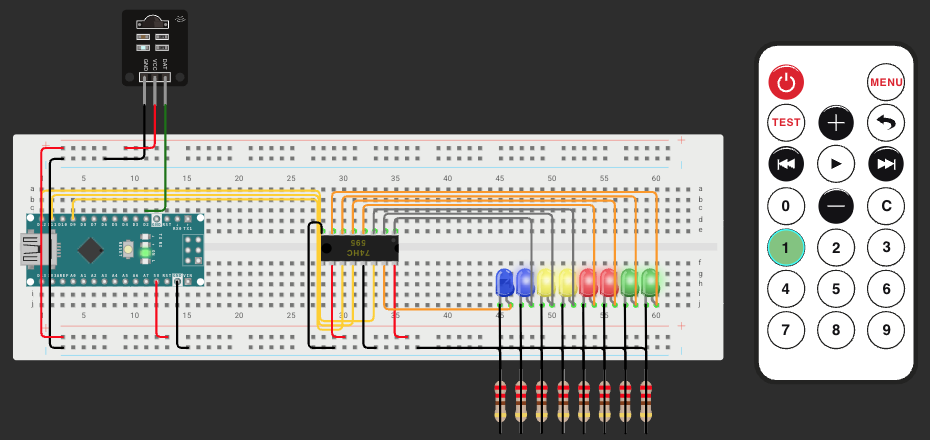
My kit came with a little infrared remote and a receiver, so we added them. Now the number keys do things. One checks the mail. Two checks for phone messages. Three makes JARVIS repeat what it just said. Four saves a clip.
The power button is my favorite. One press shuts the whole system down, the HUD and the voice and everything. Press it again and it all comes back on, and JARVIS says good evening. I'm having way too much fun with it. There are still sixteen keys left over.
What I took from it
Nothing I built for this was new. The board was a year and a half old. The remote came in the kit. What changed was having something worth plugging them into. Same as when I had JARVIS call a restaurant, or when I vibe coded a word clock. The parts were sitting around. The idea showed up later.
So if you've got an old project sitting in a drawer, don't throw it out. It might just be waiting for its job.
What's sitting in your drawer?